

You’ve definitely seen faceless content lately, even if you didn’t have a name for it. The video starts with a clean hook in text, some oddly satisfying footage (coffee pouring, subway shots, a scrolling screen-recording), and a voice that’s either calm, funny, or weirdly intense. No face. No “hey guys.” And somehow… you watch the whole thing.
Faceless content is basically: creator-mode, but anonymous-ish. You’re building an audience without turning your literal face into the brand.
And honestly? I used to think faceless content was “lazy repost accounts.” I ignored this for way too long. Then I noticed how many of the fastest-growing accounts weren’t hiding—they were just choosing a different style of presence.
Also, small but important vibe note: faceless doesn’t always mean anonymous. Sometimes the “identity” is a voice, a hand aesthetic, a desk setup, a specific editing style, or even the same three stock clips you always use (people will recognize you, trust me).
Answer Box (read this if you’re in a hurry)
- What it means: Faceless content is content where the creator doesn’t show their face on camera, but still communicates through voice, text, hands, screen recordings, or footage.
- When people use it: When they want privacy, less pressure to “perform,” or a faster way to publish consistently.
- One example: A 20-second Reel with overhead cooking shots + on-screen steps + a quick voiceover explaining the trick.
- Don’t do this: Don’t build a whole account by reposting copyrighted clips and hoping nobody notices. They notice. Platforms notice.
FAQ: the stuff people actually Google
What is faceless content, in plain English?
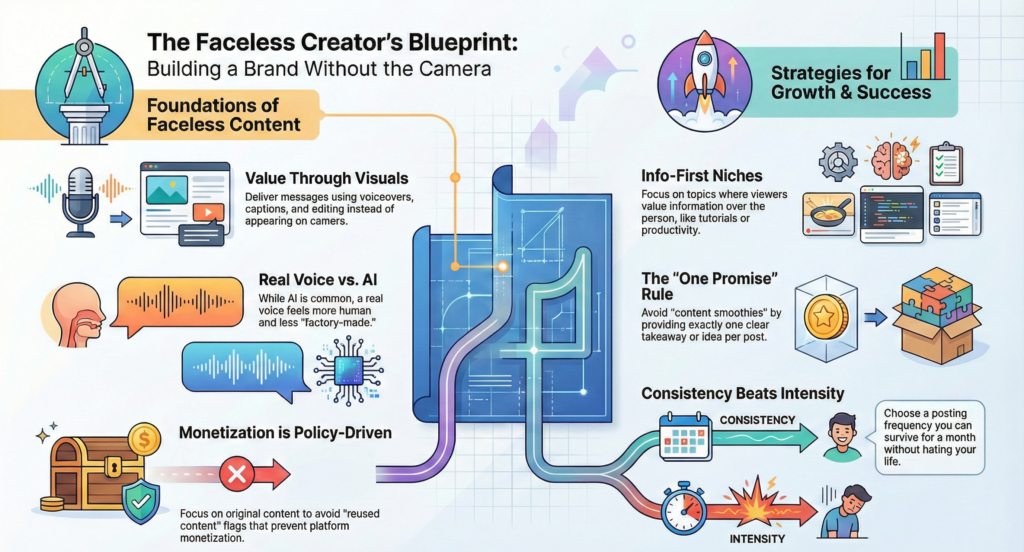
It’s creating posts without showing your face—using voiceovers, captions, visuals, and editing to deliver the message.
Is faceless content allowed on TikTok/Instagram/YouTube?
Yes. The “no” usually comes from copyright (reposting other people’s videos) or reused content policies, not from being faceless.
Do I have to use an AI voice?
No. A lot of people do, but you can also use your own voice without showing your face. In fact, a real voice (even slightly imperfect) often feels more human and less “factory content.”
Can faceless content still feel personal?
Yep. Personal isn’t the same as visible. A consistent tone, point of view, and little recurring details (your phrasing, your humor, your “I tested this” energy) make it yours.
What niches work best for faceless content?
Anything where the viewer cares more about the info than the person: tutorials, recipes, mini-reviews, history facts, productivity, budgeting, language tips, “here’s what happened” explainers, storytime-with-captions, and oddly satisfying process videos.
How do faceless creators make money?
Usually the same ways as everyone else: ads (platform-dependent), affiliate links, digital products, services, sponsorships, or driving traffic to a site/newsletter. The difference is the “selling” tends to be more about clarity than charisma.
How often do I need to post?
There’s no magic number. My opinion: start with something you can survive for a month without hating your life. Consistency beats intensity.
What’s the fastest way to make faceless content not feel spammy?
Make one clear promise per post. One idea. One takeaway. One “ohhh” moment. People can smell a content smoothie where everything got blended together.
The part nobody says out loud: why faceless content got so popular
A lot of creators are tired. Not “I need a nap” tired—more like being perceived tired. Showing your face can be fun, but it also invites random commentary you didn’t ask for. (And sometimes it’s not even mean, it’s just… exhausting. “You look tired.” Thanks.)
Faceless content lowers the friction:
- You can film on a bad hair day.
- You can batch content without “getting ready.”
- You can separate your real life from your online presence.
- You can focus on the idea, not the performance.
Here’s the surprising detail people miss: faceless content often performs well because it’s easier to project yourself into it. When there’s no face, the viewer isn’t spending mental bandwidth reading expressions or judging vibes. They’re just absorbing the message. It’s like… a radio show with visuals. (That’s my one metaphor—don’t bully me.)
Faceless content isn’t hiding. It’s choosing what part of you becomes the ‘brand.’
A quick mini-story (because this is how it usually starts)
You’re in your room at night.
You open the camera, flip it to selfie mode, and immediately hate it.
Not because you look bad—just because you look like… you. On the internet. Forever.
You close the app. Then reopen it. Then close it again.
You think, “Maybe I’m not a content person.”
Then you record your screen instead: you’re editing a photo, making a list, showing a before/after.
You add text: “3 things I wish I knew before ___.”
You post it.
It gets 12 likes… and two comments asking for part two.
And suddenly you’re like, wait. I can do this.
That’s faceless content in the wild. It’s not a personality transplant. It’s a format choice.
What faceless content looks like in real life (3 concrete examples)
Let’s get specific, because “you can do anything!” is not helpful.
Example 1: The “text-first” slideshow that feels like a friend texting you
A TikTok carousel (or Reel carousel) where each slide is one sentence:
- Slide 1: “If you can’t stay consistent, try this instead.”
- Slide 2: “Make one ‘template’ and reuse it 10 times.”
- Slide 3: “Keep the same font, same spacing, same vibe.”
- Slide 4: “The goal is less decision-making, not more hustle.”
Then the comments are exactly what you’d expect: “needed this,” “what app do you use for text,” “part 2 pls,” and one person arguing for no reason.
If you’re trying to write clean captions fast (and keep the text style consistent), a caption generator or caption template tool helps. […..]
Example 2: Screen recording with tiny UI annoyances people recognize instantly
A screen recording where you:
- open a notes app,
- paste a messy paragraph,
- turn it into a tight hook + 3 bullet points,
- then drop it onto a video timeline.
You leave in one little “oops” moment—like when the auto-captions spell your name wrong or the text box jumps by one pixel and you have to nudge it back. Viewers weirdly love that because it feels real, you know what I mean?
If you’re trying to turn “rambling thoughts” into a watchable short video, a simple mobile editing app with auto-captions and timeline snapping is a lifesaver. […..]
Example 3: Voiceover + stock footage that doesn’t feel like a corporate training video
A 25-second clip about “things I stopped doing to feel less anxious,” with calm footage: rainy window, walking feet, coffee shop b-roll. The trick is the writing: it sounds like a person, not a poster.
If you’re trying to avoid filming your own footage every time, a stock video library (with clear licensing) helps you stay consistent without stealing content. […..]
Faceless content starter workflow (the “don’t overthink it” version)
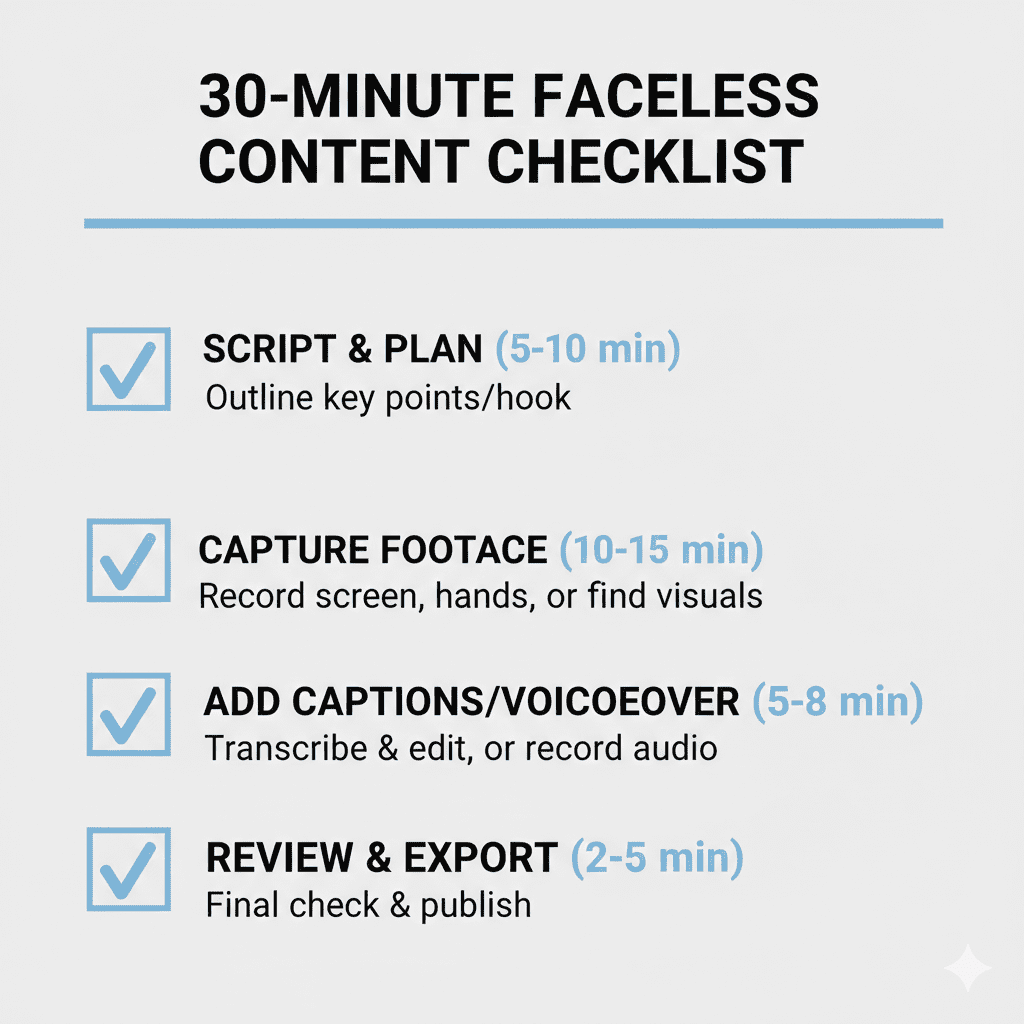
You don’t need a studio. You need a repeatable loop.
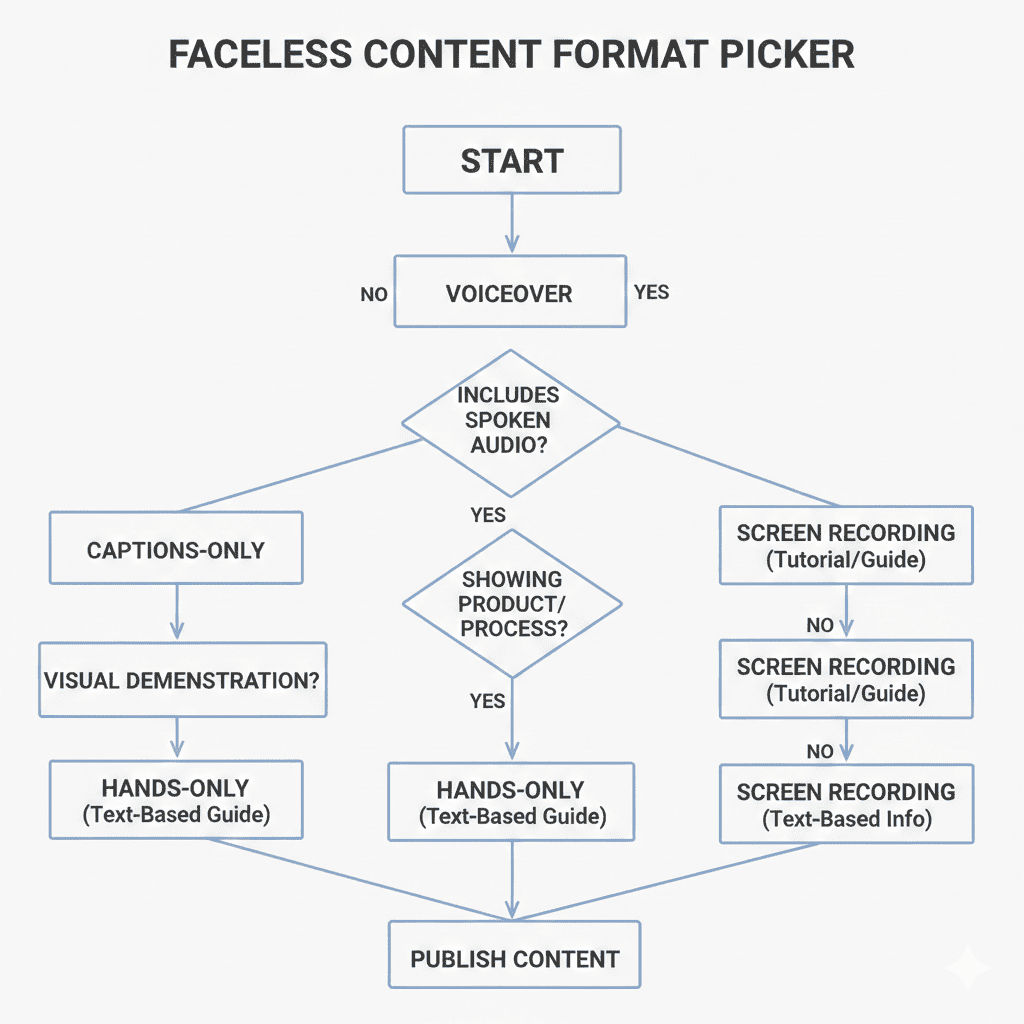
Step 1: Pick one “main ingredient”
Choose one:
- voiceover (your voice or a generated one)
- on-screen text (captions-first)
- hands/process footage (cooking, drawing, assembling)
- screen recording (tutorials, breakdowns, explainers)
A lot of beginners fail here because they pick three ingredients and then everything takes two hours.
Step 2: Write like you’re texting one smart friend
One hook, one point, one payoff.
A good test: if your script reads like a weird school presentation, rewrite it.
Step 3: Pair it with visuals that match the pace
Fast talk + slow footage feels off.
Slow talk + jumpy visuals feels like an ad.
Match the rhythm.
Step 4: Add captions like you actually want people to read them
Big enough. High contrast. Not 12 lines at once.
If you’re trying to make captions less painful, a caption tool that lets you style once and reuse forever is worth it. […..]
Your face isn’t the hook. The hook is the hook.
Tools you actually need (types, not brands)
No “top picks” here. Just what tends to matter.
Captions + text styling tools
Look for: reusable templates, easy font/spacing controls, and the ability to export in the right size for different platforms.
Editing apps (basic but reliable)
Look for: trimming fast, snapping to beat markers, auto-captions, and quick exports that don’t destroy quality.
Stock video / b-roll libraries
Look for: licensing clarity, search that doesn’t make you want to scream, and footage that doesn’t look like “generic business handshake #4.”
Voice tools
Two lanes:
- Your real voice (often the most trust-building)
- Generated voice (useful, but can sound stiff if you don’t tweak pacing)
If you’re trying to make a generated voice sound less like a GPS, a voice tool with pronunciation controls and pacing adjustments helps a lot. […..]
“Don’t confuse this with…” (quick comparison that saves embarrassment)
Faceless content overlaps with a few other internet terms, but they’re not the same.
Faceless content vs. anonymous accounts
Anonymous usually means you’re not sharing identifying details at all. Faceless content might still be “known” (same voice, same niche, same posting style), just not visually identifiable.
Example: A creator who never shows their face but always uses the same calm voice and the same desk setup? Not anonymous. Just faceless.
Faceless content vs. UGC
UGC (user-generated content) is often brand-focused and can include face or no face. Faceless content is a presentation choice, not a business model.
Example: Someone filming hands holding a product with captions—UGC style. But if they’re posting daily explainers with no face, that’s faceless content as a creator format.
Faceless content vs. “POV”
POV is a storytelling angle (“point of view”), not a visibility choice. You can do POV with your face, with hands, or with text-only.
Example: “POV: you moved to a new city and everything is expensive” can be a selfie video or a montage with captions.
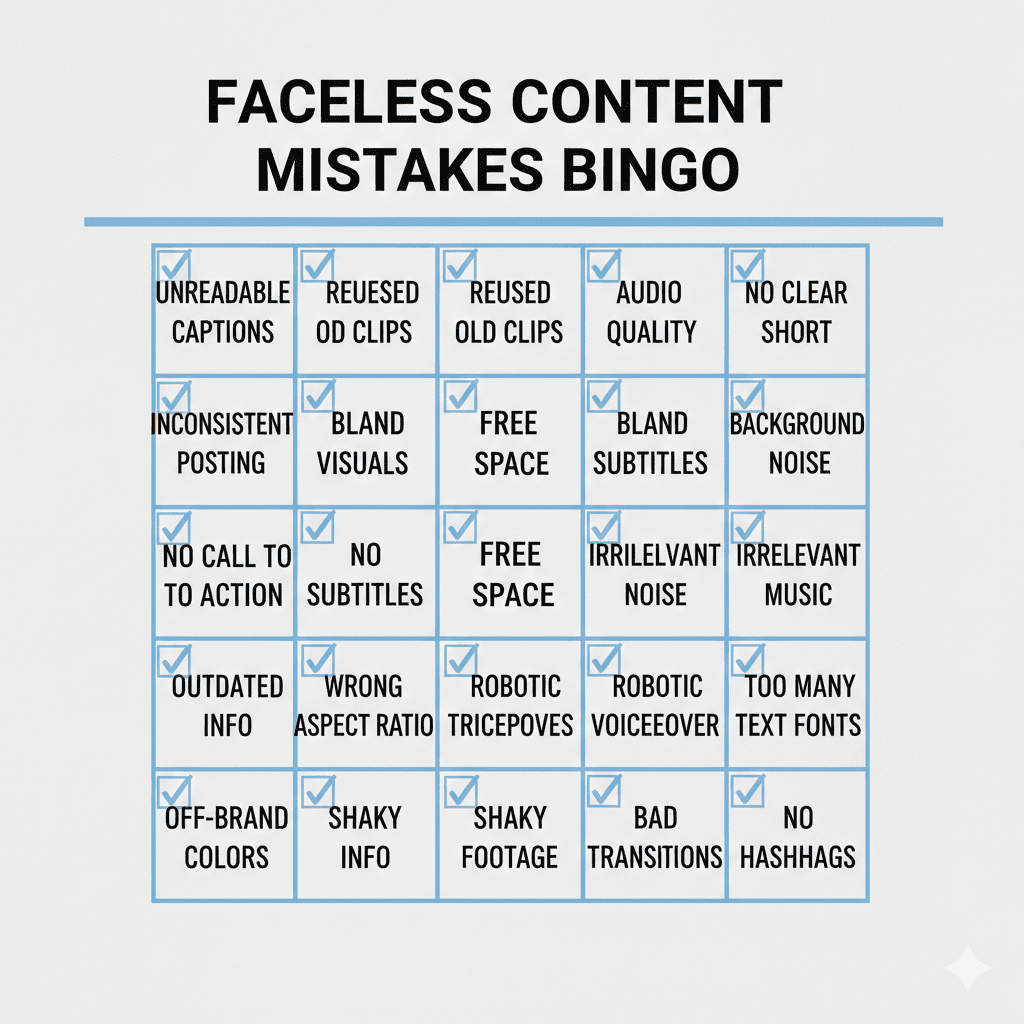
Mistakes to avoid (aka how people accidentally make it cringe)
You can be faceless and still be painfully… present.
1) Reposting other people’s clips like it’s a personality
If your content is 90% someone else’s video, you’re not “faceless.” You’re just borrowing. Add commentary, original scripting, original edits, or original footage.
2) Using a voice that mispronounces obvious words
The second your voiceover says “new-klee-ur” or reads “cache” like “cash-ay,” comments will roast you into the earth.
3) Text walls that nobody can read
If your captions look like a Terms & Conditions scroll, viewers will swipe. Keep it readable.
4) Being “mysterious” when you’re actually just unclear
Faceless isn’t a substitute for structure. The viewer still needs to know what you’re saying and why they should care.
A few quote-friendly truths to steal (you’re welcome)
Faceless content can be high-trust content.
Privacy is a creative choice, not a flaw.
If the idea is good, the camera angle is secondary.
You don’t need more confidence—you need a simpler workflow.