
“Link in bio” isn’t a magic spell. It’s just directions.
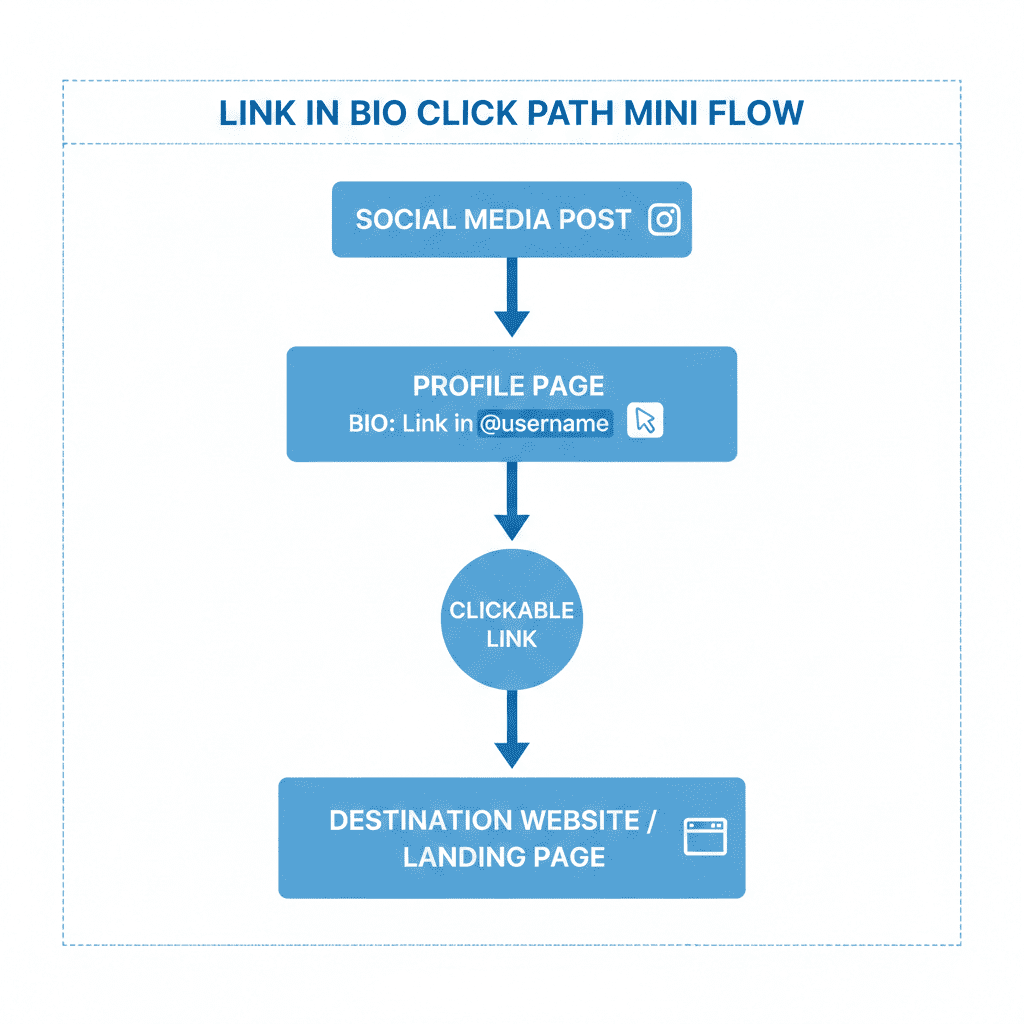
If you’ve been on Instagram, TikTok, or basically anywhere people post cute videos and sell things, you’ve seen link in bio a million times. It usually means: “I can’t (or won’t) paste the link here, so go to my profile and tap the link there.” That’s it. No secret handshake.
And yes, it’s said so often that it’s started to sound like a robot wrote everyone’s captions. But the meaning is still very human: “I’m trying to get you somewhere specific without making this post look like a spammy flyer.” You know what I mean?
Answer Box: link in bio, in plain English
- What it means: “Go to my profile page and click the link(s) I put there.”
- When people use it: When captions/comments don’t allow clickable links, or when they want one “home base” link.
- Quick example: “New tutorial is up — link in bio.” (Translation: profile → tap link → land on the tutorial.)
- Don’t do this: Saying “link in bio” when your bio has no link (or the wrong link). That’s how you get the “where???” comments.
FAQ: the questions people actually ask
What does “link in bio” mean on Instagram?
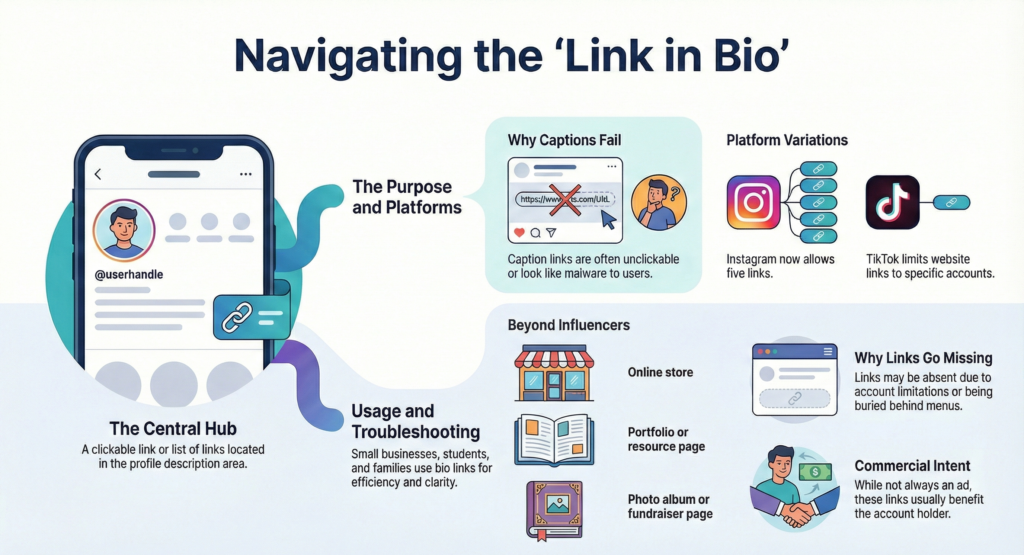
It means the person put a clickable link (or a list of links) on their Instagram profile. You’re supposed to tap their profile, then tap the link area.
Instagram literally explains how to add and manage profile links in the [Instagram Help Center].
What does “link in bio” mean on TikTok?
Same idea: go to their profile and look for their website/social link area. On TikTok, not everyone can add a website link.
TikTok spells out who can add a website link to their profile in the [TikTok Support Center].
Why don’t people just post the link in the caption?
Because on a lot of apps, the caption link isn’t clickable, or it gets messy fast. Also… captions with naked URLs look like malware sometimes. (Not always fair, but that’s the vibe.)
Is “link in bio” only for influencers?
Nope. Small businesses use it nonstop. So do students sharing a fundraiser. So does your cousin trying to get people to RSVP to a birthday party without repeating the same message 40 times.
What if I don’t see any link?
Then one of three things is happening:
- they forgot to update it,
- you’re on a platform/account type where links are limited, or
- the link is there but buried behind an extra tap (annoying, but common).
Can someone have more than one link in their bio?
On some platforms, yes. Instagram, for example, supports multiple links in the bio area now.
Is “link in bio” cringe to say?
Sometimes. Not always. If it’s genuinely helpful and the link actually goes where you said it goes, it’s fine. If you say it on every post like a reflex… then yeah, it starts sounding like you’re reading from a script.
Does “link in bio” mean it’s an ad?
Not automatically. But it often means the person wants you to click something that benefits them (newsletter, shop, affiliate link, signup, whatever). That’s not evil. Just… don’t pretend it’s not happening.
Why “link in bio” matters more than people admit
Here’s the unsexy truth: link in bio is the closest thing many platforms give you to a “front door.” Your posts are like little flyers floating around the internet. Your bio link is where you send people when they finally say, “Okay fine, where do I actually get this?”
Mini-story time:
I’m scrolling Reels at 1:12 a.m. (bad choices were made).
I see a creator wearing this perfect oversized hoodie.
Comments are chaos: “WHERE DID YOU GET IT??” x 800.
Creator replies: “link in bio 💕”
I tap the profile. I tap the link.
It opens a page with 17 buttons, three pop-ups, and one tiny “close” X that’s basically a pixel.
I tap the wrong thing, get bounced to an in-app browser, and lose the Reel.
I give up and go back to doomscrolling. Like a champion.
That’s the whole game. Link in bio is either smooth… or it’s friction with glitter on it.
Here’s the surprising detail people don’t usually say out loud: “Link in bio” is also a vibe-check. It quietly signals, “I’m in creator/business mode right now.” Even when the post looks casual, that phrase tells you there’s a destination. Sometimes it’s helpful. Sometimes it’s a soft sales pitch wearing a hoodie.
Confession: I used to think “link in bio” was lazy. Then I tried posting something people actually wanted, and I was like… oh. This is just crowd control.
Link in bio’ is basically the internet’s polite way of saying: I’m not pasting this link 500 times.
What a good link in bio setup looks like (without becoming a whole project)
I’m not going to tell you to “optimize your funnel” (I physically can’t say that with a straight face). But there is a simple way to set up link in bio so it doesn’t annoy people.
Keep it boringly clear
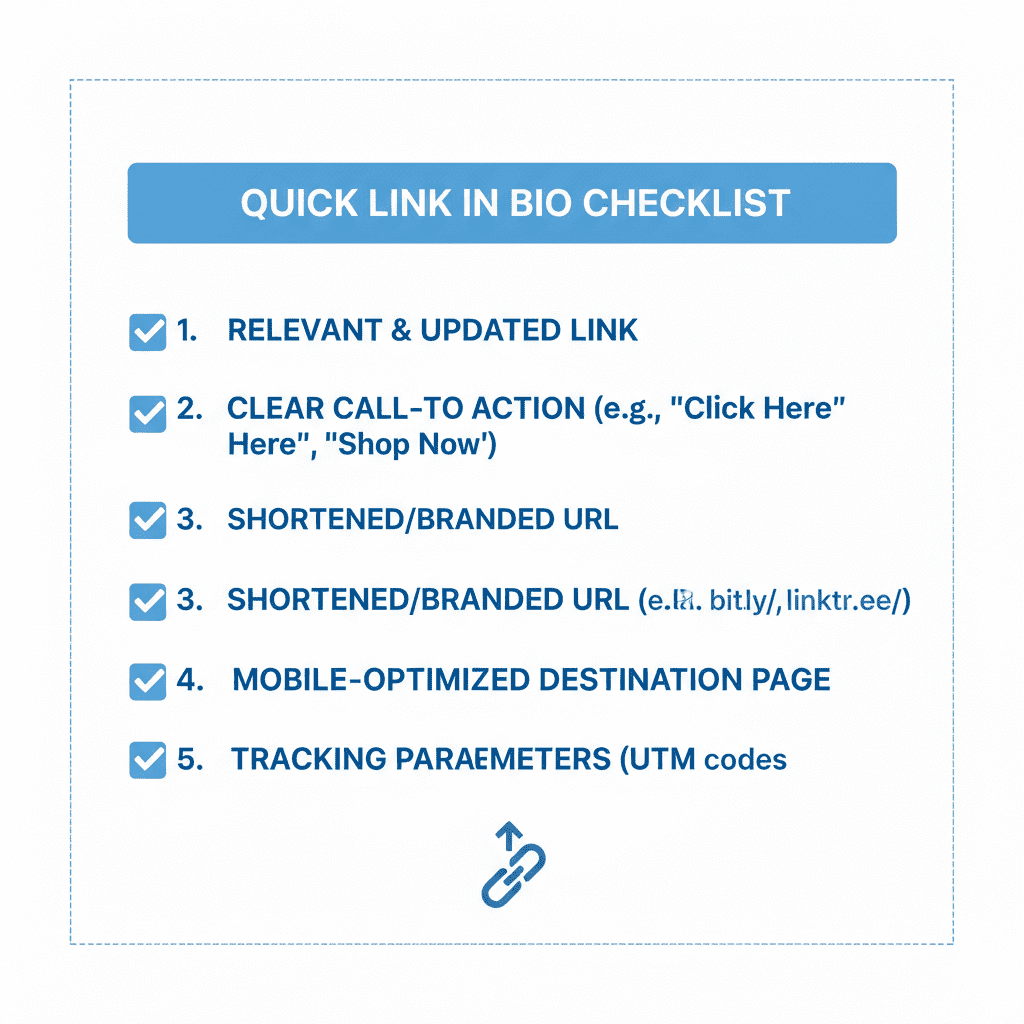
If your link in bio sends people to a page, that page should answer one question fast: “What do you want me to do?”
Pick a main action (or two):
- Watch the new video
- Read the new post
- Shop the thing
- Sign up for updates
- Book/contact
If you try to do twelve things at once, your link becomes a menu nobody asked for.
Make it mobile-first (because that’s where the clicks come from)
Most people are tapping your link in bio with one thumb while holding a snack. If your page loads slow, the buttons are tiny, or there’s a full-screen pop-up before they even see what’s on the page… you’re done.
If you’re trying to turn casual viewers into actual readers/customers, a simple landing page builder helps because it forces you into clean sections and big buttons. […..]
Use a link-in-bio page when you post different stuff all the time
If you share a mix (videos, blog posts, a free download, a waitlist, a product, a random “here’s my gear” post), a link-in-bio tool is basically a tidy hub that you can update without changing the actual bio link every day. […..]
And yes, some platforms now allow multiple links, but a hub still helps if you want:
- one consistent link everywhere,
- a clean layout,
- and something you can update fast.
Don’t waste the “email capture” moment
This is the part everyone skips because it feels “too serious.” But if people are clicking your link in bio, that’s interest. Real interest.
If you’re trying to build something long-term (content, a shop, a community), an email list tool is the boring little machine that turns “random click” into “I can reach you again.” […..]
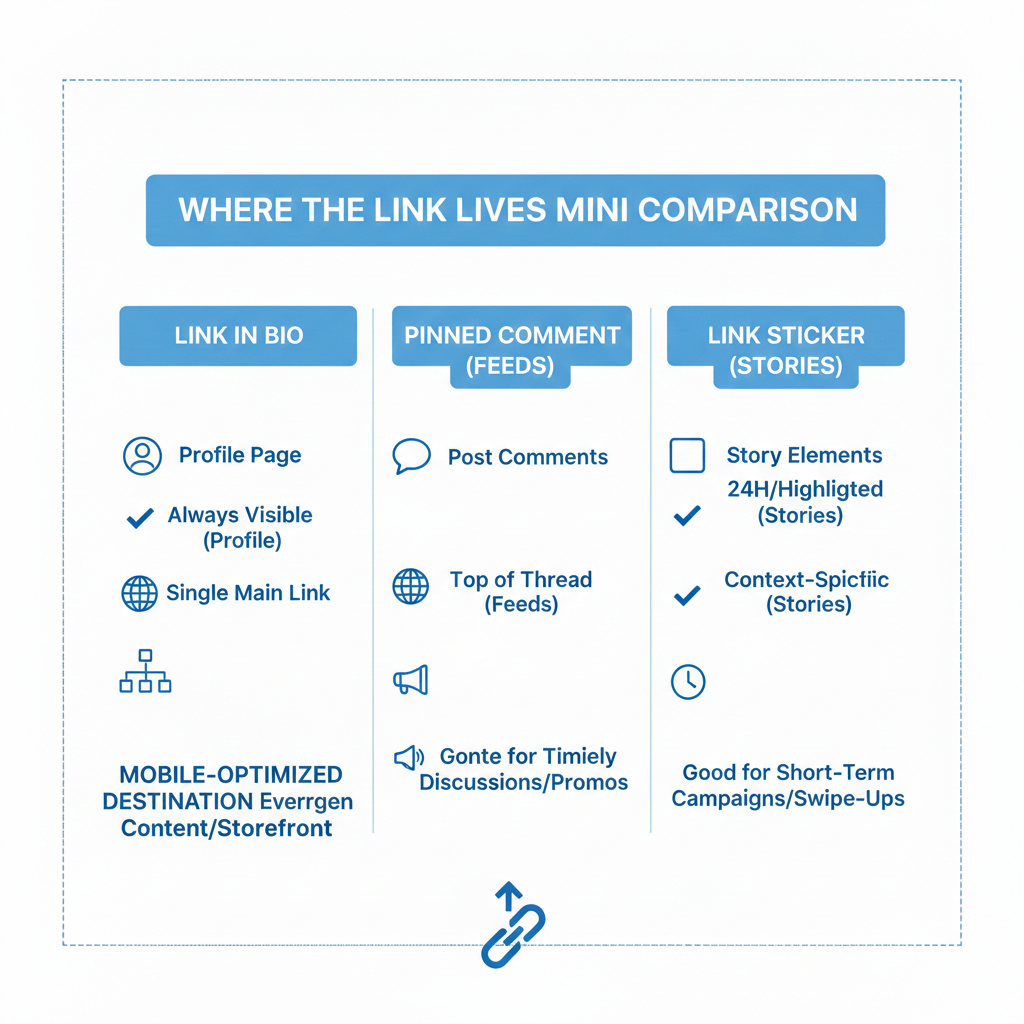
Link in bio vs. other “go click something” phrases (don’t mix these up)
People treat these like synonyms, but they’re not.
“Link in bio”
Means: go to the profile and tap the profile link(s).
Best for: posts where the caption link won’t work or would look messy.
“Link in description”
Means: the clickable link is under the post/video itself (common on YouTube).
Best for: long-form videos or posts where the description is easy to find.
“Pinned comment”
Means: the creator put the link or info in a comment and pinned it to the top.
Best for: platforms where comments are the easiest place to drop extra info.
“Link sticker” (or “tap the sticker”)
Means: the link is inside a Story sticker or overlay.
Best for: quick, time-sensitive things.
One simple rule: If you say “link in bio,” the link better be in the bio. Revolutionary, I know.
The fastest way to lose trust is making people hunt for a link you promised.
Mistakes to avoid (aka how to not sound cringe)
This is the part where most people accidentally become annoying.
1) Saying “link in bio” when your link is outdated
If your bio link still goes to last month’s giveaway, people will assume you’re disorganized (or worse, clickbait-y).
Quick fix: if you’re posting something new today, check the link today. Takes 10 seconds.
2) Sending people to a page with too many choices
If your link in bio opens a hub with 20 buttons, people freeze. Or they tap the wrong thing. Or they bounce.
Make your top 1–3 options obvious. Everything else can live lower.
3) Making the link look sketchy
If your link shows a long messy URL and then triggers three pop-ups, people hesitate. They shouldn’t have to do a trust fall just to read your blog post.
A clean landing page (or a link hub) helps here because it keeps things simple and readable. […..]
4) Forgetting disclosures when you’re earning money from clicks
If your link in bio includes affiliate links or sponsored stuff, just be upfront. It’s not a courtroom. A short “some links may earn me a commission” is usually enough for normal humans.
Tiny tool talk (not salesy): what helps when your link in bio gets real clicks
No “best tools” list. No hype. Just matching the tool type to the job.
- If you’re trying to share multiple destinations without changing your bio every day, a link-in-bio tool helps. […..]
- If you’re trying to promote one main thing (one product, one post, one signup), a simple landing page builder helps. […..]
- If you’re trying to stop renting your audience from an app, an email list tool helps. […..]
- If you’re trying to see what people actually click, a basic click-tracking/analytics tool helps. […..]
And honestly? Sometimes the best “tool” is just checking your link works before you post. Low tech. High impact.
The real meaning of “link in bio” in 2026
It’s directions. It’s shorthand. It’s creator dialect. Sometimes it’s helpful. Sometimes it’s a little “I’m selling something” wink.
But if you want people to click, don’t make them solve a puzzle. Give them a clean path, keep the promise, and for the love of thumbs, make the buttons big.
Because nobody has ever said, “Wow, I loved that link scavenger hunt. Five stars.”